



Reevaluating the Necessity of Password Managers
In our current digital landscape, individuals manage numerous accounts across various apps and websites, necessitating the memorization of many passwords. Many resort to using the same password for all accounts, putting themselves at risk for data breaches and identity theft. While avoiding common passwords is advisable, diversifying your password collection without risking access to your services can seem daunting. This is where password managers come into play.
Built-In Password Managers Dominate Platforms
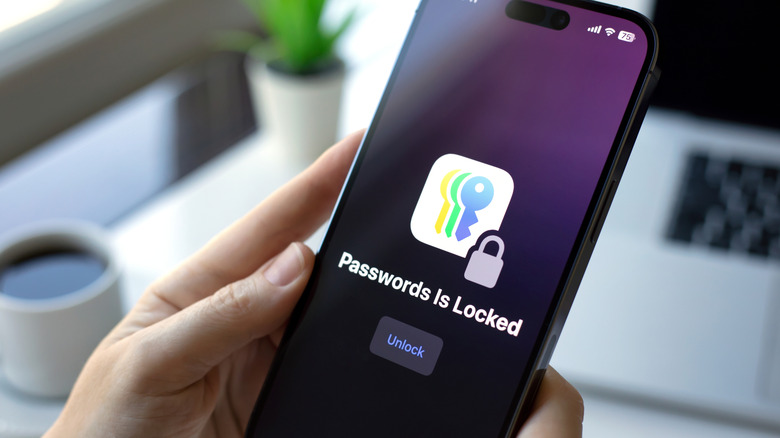
While many users may prefer standalone password managers, most operating systems offer built-in options. For instance, Apple’s iCloud Keychain securely saves your passwords in the cloud and is accessible on various devices, including Macs and iPads. iOS even provides a built-in app named Passwords that streamlines password management by automatically filling in login credentials and payment details.
For Windows users, Credential Manager offers similar features, maintaining saved credentials in a straightforward manner. Additionally, Google provides a cross-platform password manager linked to your Google account, effectively allowing access on Chrome and multiple Android devices.
However, one limitation of OS-integrated password managers is their limited cross-platform capabilities. For example, relying solely on iCloud Keychain means usernames and passwords won’t auto-fill on non-Apple devices. Configuring these tools for other systems can be inconvenient, but they serve as effective, cost-efficient solutions for those not needing extensive compatibility.
Biometrics and Passkeys: Emerging Alternatives

Using integrated password managers is one viable option. However, you could even bypass traditional passwords altogether. For example, if you utilize Apple’s Keychain with Face ID or Touch ID, this biometric authentication allows you to log into websites via Safari without the need for a password. Many applications on both Android and iOS also support biometric logins through their respective facial recognition and fingerprint capabilities, making authentication more convenient.
Another innovation worth noting is passkeys, which remove the need for passwords by authenticating users through device-specific “fingerprints.” A service may request the specific passkey generated upon sign-up, matching it to the one stored securely on your device, thus granting access without a traditional password.
Furthermore, advancements like IBM Verify employ artificial intelligence for identity and access management (IAM). Although currently limited for consumer applications, these AI-driven systems aim to enhance access security while safeguarding against cyber threats, indicating a promising evolution in the realm of password management technologies.
